A Powerful New Way to Build High-Impact Presentations with Nano Banana Pro in Mixboard:
Creating presentations has become easier, smarter, and more dynamic than ever before—thanks to the powerful combination of Presentations with Nano Banana Pro inside Mixboard. This latest upgrade unlocks a completely new way to turn raw ideas, sketches, references, and visuals into stunning, high-fidelity presentations with minimal effort. Whether you’re a designer, a student, a professional creator, or simply someone who loves organized visual storytelling, Mixboard’s Nano Banana Pro integration opens the door to a smoother and more inspiring creative flow.
Introduction We are witnessing a shift in how presentations and concepts are built. Forget slide decks and rigid templates—Google’s latest experiment, Mixboard, is changing the game. Powered by the oddly named but incredibly powerful Nano Banana Pro AI model, Mixboard offers an “infinite canvas” for visual brainstorming. But is it just another image generator, or a legitimate tool for professionals? Here is everything you need to know.
What is Google Mixboard?
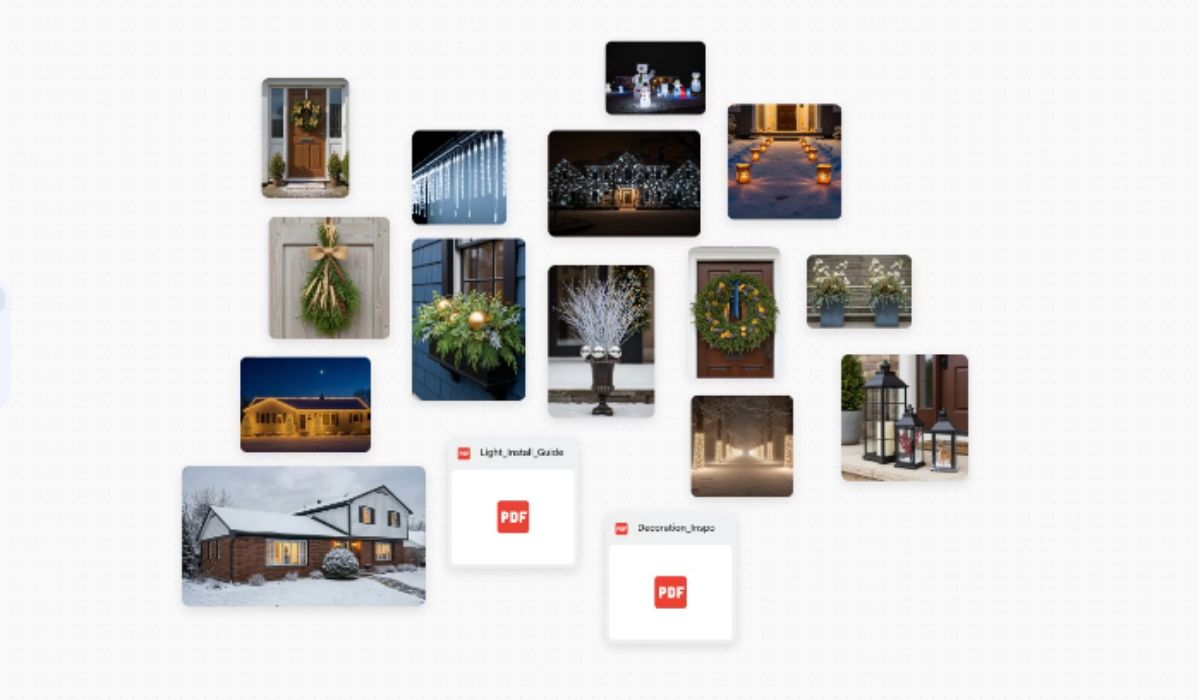
Unlike a standard slide editor (like PowerPoint) or a simple image generator (like Midjourney), Mixboard is a collaborative infinite canvas. It combines the flexibility of a digital whiteboard (think Miro or FigJam) with the raw generative power of Google’s latest AI.
- The Goal: To explore aesthetic directions, build mood boards, and iterate on visual concepts before committing to a final high-fidelity design.
- The Engine: The visual magic is powered by Nano Banana Pro (Google’s latest image model designed for high-fidelity editing), while Gemini handles the contextual understanding of your text and prompts.
The “Killer” Features:
A. Natural Language Editing (The “Nano Banana” Magic) This is where the tool shines. Most AI tools force you to regenerate an entire image if you want to change one small detail. Mixboard allows for semantic editing.
- How it works: If you generate a living room scene but dislike the furniture, you can simply click the sofa and type: “Change to a leather chesterfield sofa.” The AI replaces just that object while preserving the room’s lighting, perspective, and style.
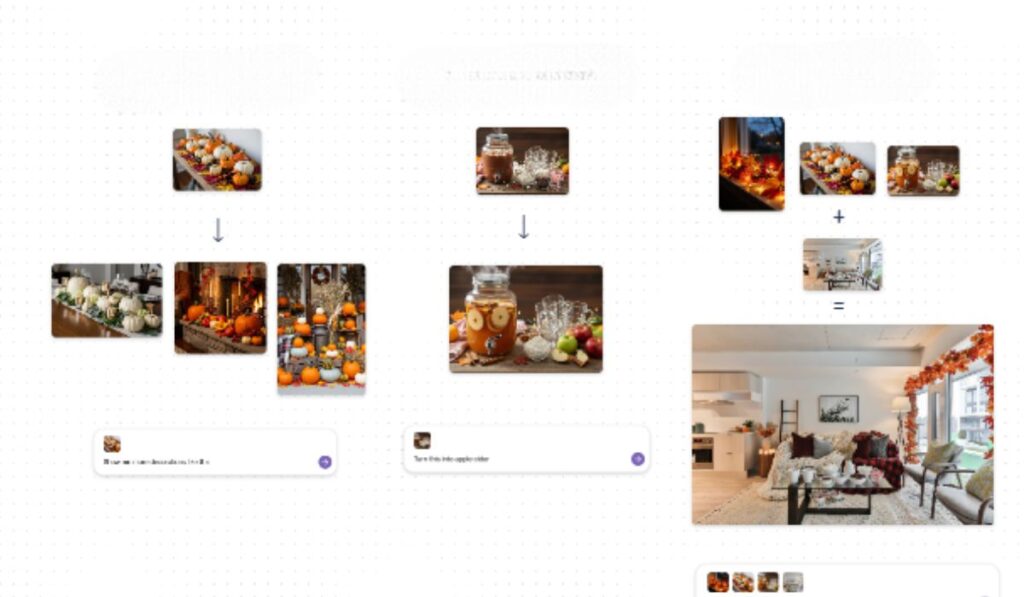
B. The Remix Engine Mixboard encourages “visual alchemy.” You can combine different inputs to create entirely new assets.
- Style Transfer: Upload a rough pencil sketch and a photo of a neon texture. Mixboard can “remix” them to render your sketch in that neon style.
- Hybrid Concepts: Place a photo of a sneaker next to a photo of a mossy forest. Ask the AI to “blend” them, and it will generate a shoe design made of organic, sustainable materials.
C. Contextual Intelligence Because it is backed by Gemini, the board understands the relationship between items. If your canvas is filled with “1950s retro kitchen” imagery and you simply ask for a “toaster,” the AI automatically generates a retro toaster to match the existing vibe—no complex prompting required.
A Typical Workflow in Mixboard:
If you are using Mixboard to create a presentation or mood deck, here is the most efficient workflow:
- Phase 1: The Seed. Start with a high-level prompt (e.g., “Futuristic eco-friendly housing, matte finish, soft sunlight”). Drag in your own logo or inspiration photos to anchor the style.
- Phase 2: Expansion. Use the “More like this” feature to generate variations of your favorite shots. Use the Remix tool to fuse uploaded assets with generated textures.
- Phase 3: The Polish. This is where Nano Banana Pro takes over. Use the chat interface to fix details: “Remove the background artifacts,” “Make the lighting warmer,” or “Add a tagline in the top right corner.”
- Phase 4: Export. Once your board tells a coherent story, export the individual assets or the entire layout to Google Slides for your final pitch.
Who Should Use It?
- Designers: For creating “look and feel” decks before opening Figma.
- Marketers: For rapid A/B testing of visual themes and ad concepts.
- Storytellers: For storyboarding scenes where character consistency is key.
Google Mixboard bridges the gap between “I have a vague idea” and “Here is the visual proof.” While the name Nano Banana Pro might sound playful, the underlying tech is serious business for anyone involved in creative direction.
Turn Your Mixboards into Beautiful Presentations:
Mixboard now allows you to convert your main board directly into a polished presentation, powered by Nano Banana Pro—Google’s advanced Gemini image model. The system understands your board’s context, layout, and visual direction. You can simply instruct Mixboard about the format, theme, presentation focus, and preferred style. The tool then automatically builds a beautifully arranged slide deck that communicates your ideas with clarity and creativity.
With Presentations with Nano Banana Pro, your visuals gain higher fidelity, your text becomes more expressive, and your entire deck transforms into a cohesive visual story. For creators who often lose time manually aligning elements, designing layouts, or recreating visuals, this new feature reduces hours of work into minutes.
Explore New Visual Possibilities:
Mixboard is not just a presentation tool—it’s a creative playground. You can now generate unique reference visuals or add your own images to enhance your board. With the new update, Mixboard supports an expanded range of file types, including PDF uploads, allowing your boards to begin from any starting point you choose.
One of the most exciting additions is the built-in selfie camera, enabling you to instantly add your own photos. Whether you’re building fashion references, wardrobe inspirations, or personal project ideas, this feature gives your board a more personalized touch.
Fine-Tune Designs with Direct Doodling:
Editing your board has become more intuitive with the ability to doodle directly on images. Simply draw over the area you want to modify, describe the edit, and Nano Banana Pro brings it to life. This gives you much more control over selective edits while keeping everything fast and simple.
The doodle tool also works for presentation adjustments. You can quickly refine sections, make selective changes, or improve visuals directly on the slides created from your board.
Create Across Multiple Boards for Larger Projects:
For users managing large, complex projects, Mixboard now supports multiple boards within the same project. This means you can divide your creative space into categories—such as brainstorming, research references, rough ideas, and final designs. Each board gives you a dedicated space to think, explore, and experiment without clutter.
By expanding the canvas size and allowing multiple boards, Mixboard ensures that creators can work without boundaries. It’s perfect for long-term planning, content creation, design pipelines, or multi-stage projects where visual organization is key.
Why Presentation with Nano Banana Pro Changes Everything:
This new feature is not just an upgrade—it’s a creative transformation. Presentations with Nano Banana Pro allows users to:
- Build presentations instantly
- Convert ideas into high-quality visuals
- Save time on manual designing
- Keep all project elements in one place
- Work more intuitively with doodle-based edits
- Enjoy richer, more detailed image rendering
With Mixboard becoming a flexible, highly visual workspace, creators can now unleash their full imagination without technical limitations.
- Source : blog.google
- Feature Image Credit: blog.google